Telegram X has emerged as a popular alternative to the standard Telegram app, offering faster performance, customizable interfaces, and advanced animation features for global users. However, one of the most common privacy concerns among Telegram X users remains unresolved for many: Can Telegram X users access your phone number without your permission?
Your telegram number is the core identifier binding your account to your real identity, making it a critical privacy asset. Whether you’re chatting with strangers in public groups, connecting with new contacts, or using Telegram for anonymous communication, understanding how Telegram X handles your phone number visibility is essential. In this guide, we’ll break down the exact privacy rules, clarify access permissions, and share actionable ways to use telegram without phone number exposure with a virtual number for telegram.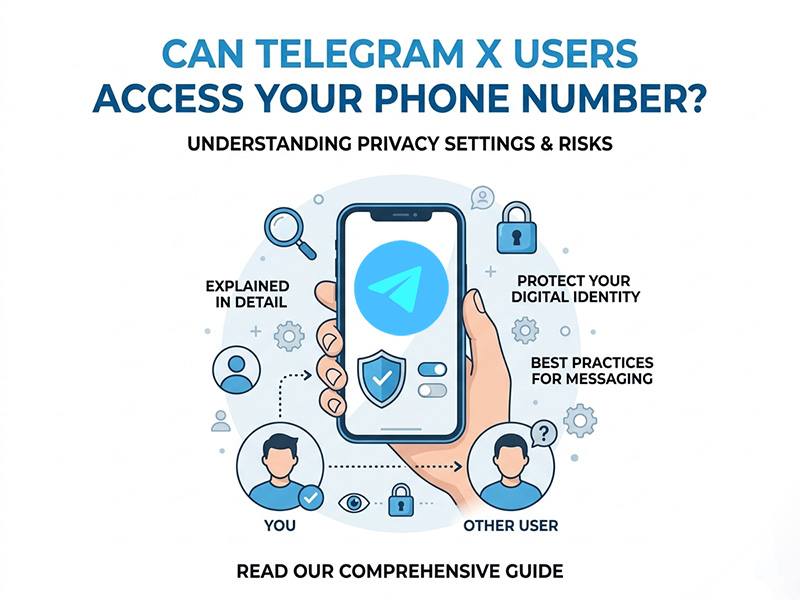
Do Telegram X Users Have Access to Your Real Phone Number
First and foremost, let’s deliver a clear and definitive answer: Random Telegram X users cannot access your phone number by default. Telegram X follows the exact same privacy framework as the official Telegram app. There is no separate data access privilege for Telegram X users, and the platform does not expose your personal number to strangers, group members, or channel followers under default settings.
Only two groups of people can view your telegram number under standard privacy configurations:
- Saved contacts: If someone has your real phone number saved in their device’s contact list, they can see your number on Telegram X after matching contacts on the platform.
- Manually approved connections: If you have shared your number or added a user explicitly, they retain visibility of your phone number.
Crucially, users who find you via your Telegram username, group links, or public profiles on Telegram X cannot view your phone number at all. Telegram’s server-side data matching system only syncs contact information for mutually saved contacts, preventing arbitrary number access for all other users.
Key Privacy Settings to Block Telegram X Number Access
To fully prevent any Telegram X user from accessing your phone number, you need to adjust your built-in Telegram privacy settings. These settings apply universally to both the standard Telegram app and Telegram X, ensuring consistent privacy protection across all client versions.
Here’s how to lock your telegram number visibility:
- Open Telegram or Telegram X and navigate to Settings > Privacy and Security > Phone Number.
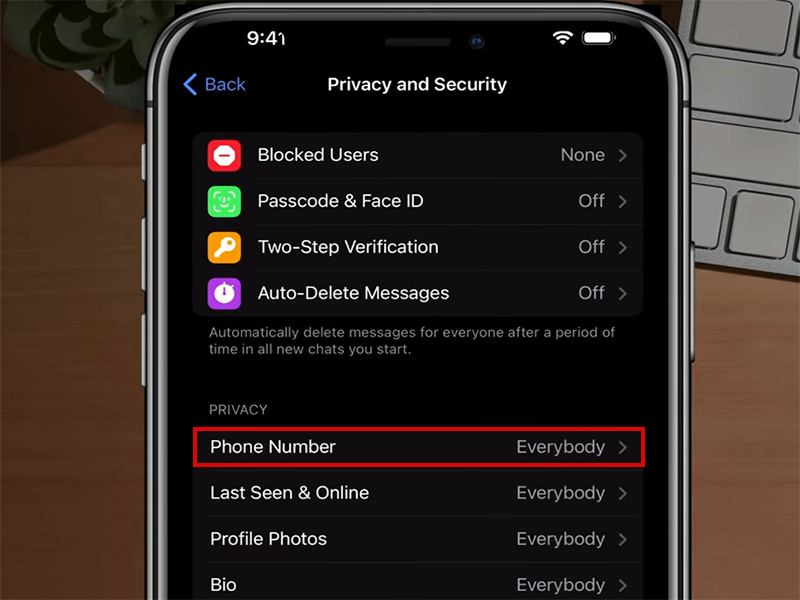
- Adjust the visibility permission from the default “My Contacts” to Nobody.
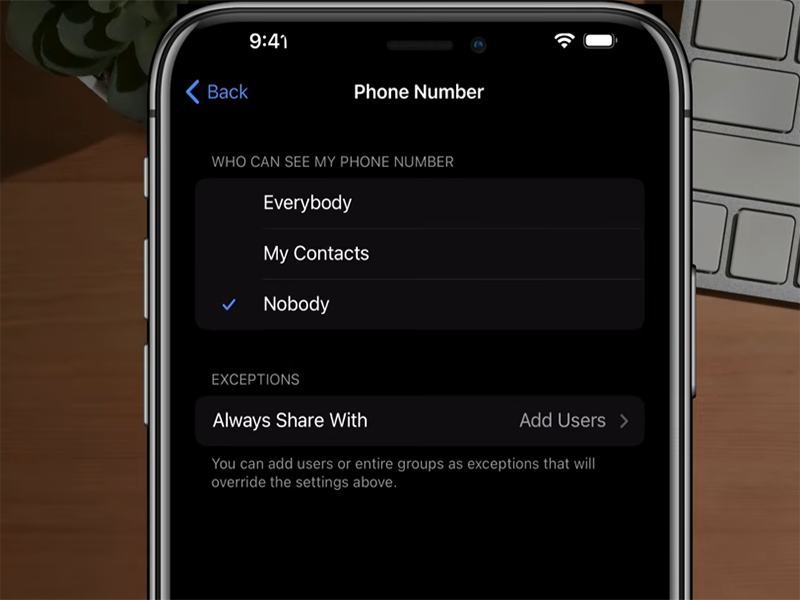
- Disable the “Allow finding me by number” option to stop users from locating your account via your phone number.
Once enabled, no Telegram X user can view or search your account using your phone number. This is the most effective native method to protect your number without changing your existing account.
How to Use Telegram Without Phone Number Exposure
For users pursuing maximum anonymity, relying solely on privacy settings is not enough. If you want to completely eliminate the risk of real number leakage and truly use telegram without phone number binding, a virtual phone number for telegram is the ultimate solution.
A virtual number for telegram is a cloud-based digital number that works exactly like a traditional mobile number for Telegram registration and verification. Unlike your personal cell number, it is not linked to your real identity, device, or personal contact information. Using a virtual phone number for telegram brings unparalleled privacy advantages for Telegram X users:
- Zero real identity exposure: Your actual phone number is never tied to your Telegram account, so no users can access your personal contact details.
- Full anonymity: You can join public groups, chat with strangers, and build new connections without revealing any traceable personal information.
- Account security upgrade: Virtual numbers avoid the risk of real number leakage from contact syncing, data breaches, or third-party matching.
- Multi-account support: A single virtual number service allows you to create multiple independent Telegram accounts for different usage scenarios.
Many users now prioritize a virtual number for telegram over personal numbers because it completely resolves the core privacy flaw of Telegram’s contact sync system. Even if other users sync their contacts, your virtual number will not match any real personal data, keeping your identity fully protected.
How to Contact Telegram for Privacy-Related Issues
If you encounter abnormal number exposure bugs, unauthorized access attempts, or need to verify privacy rule updates, you can directly contact telegram official support for professional assistance. Telegram provides dedicated support channels for user privacy concerns, ensuring timely resolution of security and visibility issues.
The official ways to contact telegram include:
- In-app support: Go to Settings > Help and Feedback > Contact Support to submit your privacy queries about telegram number visibility.
- Official support bot: Use Telegram’s verified support bot to report bugs or ask for privacy setting guidance.
- Official website portal: Submit privacy-related tickets via Telegram’s official web support page for formal technical support.
Always use official channels to contact telegram to avoid fake support scams that may steal your account or number information.
Final Thoughts
To recap, Telegram X users cannot freely access your phone number. The platform’s strict privacy rules limit telegram number visibility to your saved contacts by default, and you can block all access with simple setting adjustments. For users who demand absolute anonymity, ditching personal numbers and adopting a virtual phone number for telegram is the most reliable way to use telegram without phone number privacy risks.
Whether you are a casual user or rely on Telegram X for business and social communication, protecting your phone number is non-negotiable. Optimize your privacy settings, use a trusted virtual number for telegram, and contact telegram official support when needed to keep your account fully secure and anonymous in 2026 and beyond.