Your Telegram status does more than show a small icon or time; it acts as a digital record that shows when you are active, your attention, and even your social habits. Indicators like message check marks, “last seen” statuses, and green dots reveal a lot about your activity without you saying a word.
Since privacy is so important today, knowing how to manage your Telegram status is key to both your personal and professional life. This guide explains everything from message delivery to connection issues and shows you how to control what others see about your online activity.

10+Practical Strategies to Control Telegram Status
1. Master Your Privacy Settings
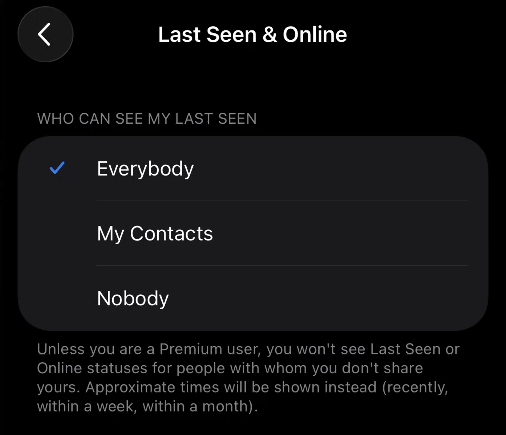
Navigate to Settings > Privacy and Security > Last Seen & Online to take complete control over who sees your activity. You have four main options:
- Everybody: Anyone on Telegram can see your exact last seen time and online status
- My Contacts: Only people in your contact list have access
- Nobody: Complete privacy—no one sees your exact status
- Custom exceptions: Create specific lists of people who can or cannot see your status
2. Understand the Mutual Rule
Telegram uses a “give and take” privacy rule: if you hide your “last seen” status from others, you won’t be able to see theirs either. This makes things fair, but it means you have to decide who you really want to share that information with.
3. Leverage Approximate Statuses
When you choose “Nobody” for your last seen visibility, others will see approximate ranges like “last seen recently” (1 second to 2-3 days), “last seen within a week” (2-3 days to 7 days), or “last seen within a month” (6-7 days to a month). They provide the necessary details while keeping your exact schedule private.
4. Manage Temporary Visibility Exceptions
Some actions will briefly show you are online to specific people for about 30 seconds, even if your privacy settings are strict:
- Sending them a direct message
- Reading a message they sent you in a one-on-one chat
- Showing “typing…” status in a chat with them
Plan your chats carefully if you need to stay hidden.
5. Hide Read Receipts Separately
To stop others from seeing when you have read their messages, turn on “Hide Read Time” in your privacy settings. This allows you to reply at your own pace without feeling rushed. However, keep in mind that you will also be unable to see when others have read your messages.
6. Control Profile Photo Visibility
Go to Settings > Privacy and Security > Profile Photo to determine who can see your profile picture. This is key to keeping work and personal life separate or staying safe in private situations.
7. Manage Phone Number Exposure
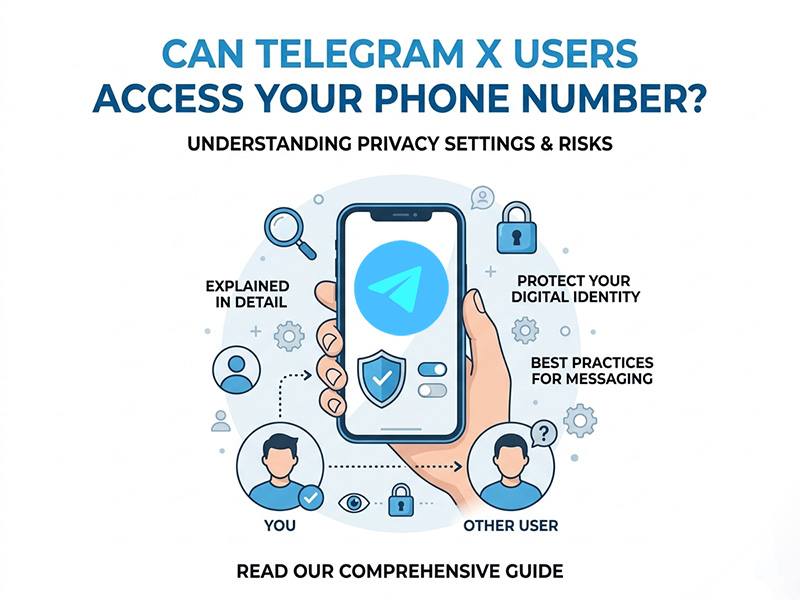
Your phone number visibility is controlled separately at Settings > Privacy and Security > Phone Number. To avoid strangers finding you on Telegram, set your privacy to “My Contacts” or “Nobody.”
8. Utilize Secret Chats for Maximum Privacy
If you want maximum privacy on Telegram, use the Secret Chats feature. These chats are fully encrypted and allow messages to delete themselves automatically. They also block forwarding and alert you if someone takes a screenshot. Unlike regular chats, they don’t sync between your devices and must be started manually for each person.
9. Monitor Server Status Telegram Proactively
When experiencing connectivity issues, check Telegram server status through reliable monitoring services like IsDown before troubleshooting your local connection. These tools show live updates and past outage records to help you see if a problem is affecting everyone or just you.
10. Understand Multi-Device Implications
Because Telegram works on multiple devices, any of them can change your online status. If you appear “online” but aren’t using the app, check if you are logged in on another phone, tablet, or computer.
11. Configure Notifications Strategically
Customize notifications in Settings > Notifications and Sounds to reduce the urge to constantly check the app. Turn off message previews to keep your notifications private. Also, set unique alert sounds for different contacts to help you prioritize your replies.
12. Use Scheduled Messages to Manage Expectations
Use Telegram’s scheduled messages for non-urgent texts. This lets you write them whenever you want, but send them during normal hours, so it doesn’t look like you’re working at odd times.
13. Consider Telegram Premium Features
Telegram Premium subscribers gain additional privacy controls, including control over who can send them voice and video messages. Premium also offers faster downloads, exclusive stickers, and advanced chat management features that can enhance your overall Telegram experience.
Why Telegram Statuses Matter More Than You Think
Professional Implications
Using Telegram for work can give people the wrong idea about your schedule. If colleagues see you were recently online during your time off, they might expect you to answer right away. Additionally, read receipts can make you feel pressured to reply immediately, which can disrupt your focus and your personal life.
Personal Relationships Dynamics
Friends and family often overthink your online status. If you haven’t replied but were recently active, they might think you are ignoring them. Your status can also reveal your daily habits, like when you sleep or when you are available to chat.
Privacy and Security Concerns
Sharing your status updates can reveal a lot about your private life when mixed with other information. For people in high-risk jobs or sensitive situations, this data can create serious security concerns.
Mental Health Considerations
Always seeing online status icons creates “availability anxiety,” making people feel like they must always be reachable. Tracking these statuses while managing your own can lead to digital burnout and stress, especially for those trying to maintain a specific online image.
Final Thoughts
Telegram online status may seem like a tiny feature, but it reveals far more about daily behavior than most people realize. Fortunately, the Telegram app download remains one of the best messaging platforms for privacy customization. Its flexible visibility controls, custom exceptions, and less aggressive activity tracking give users much more control compared to many competing apps.