
If you’ve shopped around for alternative Telegram clients, you’ve almost certainly come across Telegram X, and wondered what sets it apart from the standard app. With nearly identical names and both developed by Telegram FZ-LLC, it’s easy to assume they’re the same tool with a minor redesign. But the reality is, the telegram vs telegram x debate comes down to real differences in speed, customization, platform support, and feature priorities.
In this guide, we break down the full difference between telegram and telegram x, compare core features side by side, explain the current state of telegram x desktop, and help you decide which official client is right for your daily use.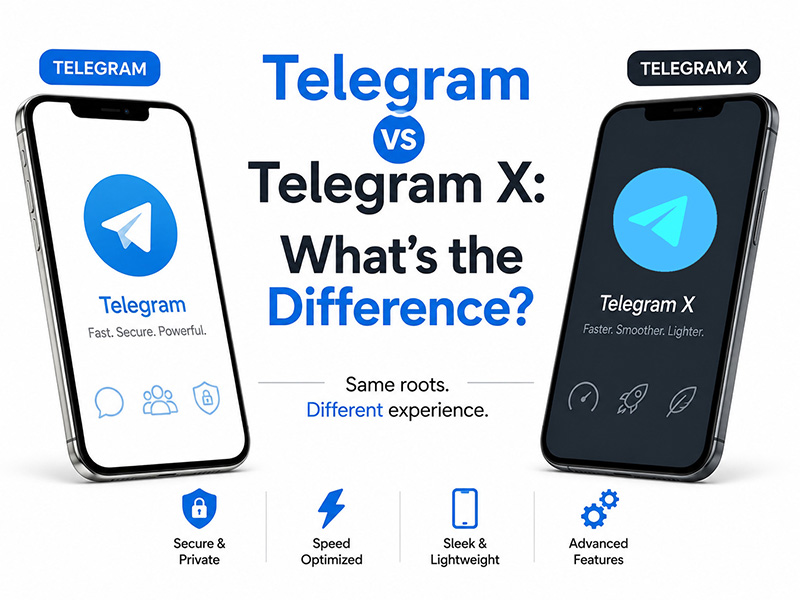
First: Are Both Apps Official
A common misconception is that Telegram X is a third-party modified build. In reality, both clients are fully official and developed by Telegram FZ-LLC; they just serve different purposes.
- Standard Telegram is the flagship, all-platform app built for broad compatibility and full feature support.
- Telegram X is an official experimental alternative built on the lightweight Telegram Database Library (TDLib), designed to test performance and interface improvements before they roll out to the main app.
Both work with the same Telegram account, sync all cloud data, and comply with official platform rules. You can even run both apps on the same device simultaneously.
Telegram X vs Telegram: Core Side-by-Side Comparison
To make the difference between telegram and telegram x easy to scan, here’s a side-by-side breakdown of the most important categories:
| Category | Standard Telegram | Telegram X |
| Core Technology | Proprietary full-feature codebase | Built on lightweight TDLib framework |
| Performance | Stable and reliable for all devices; slightly heavier | Significantly faster launch, smoother large-group scrolling, lower RAM and battery usage |
| Customization | Basic theme and background options | Granular control over every UI element, advanced theming, full gesture navigation |
| Feature Set | Complete official tools; all permanent updates roll out here first | Core chat + media features; experimental tools may debut first, niche features may be missing |
| Platform Support | Android, iOS, Windows, macOS, Linux, web | Primarily Android; limited iOS support; no official telegram x desktop |
| Best For | All-purpose use, business users, cross-device workflows | Android power users, customization fans, heavy media/large group users |
1. Performance & Speed
The most noticeable difference between telegram and telegram x is raw performance. Built on the leaner TDLib framework, Telegram X is engineered for speed above all else.
- Faster launch and loading: The app opens in nearly half the time of standard Telegram, especially on mid-range or older Android devices.
- Smoother large-group performance: Scrolling through 100k+ member groups or long chat histories causes far less stutter and lag on Telegram X.
- Lighter resource footprint: Lower RAM usage and optimized battery consumption make it ideal for all-day heavy use.
In head-to-head telegram x vs telegram speed tests, Telegram X consistently comes out ahead for core chat and media browsing. The tradeoff is that it cuts some less common features to achieve that speed.
2. Interface & Customization
If personalizing your app experience matters to you, this is where the telegram vs telegram x gap widens significantly.
- Standard Telegram offers basic customization: a handful of built-in themes, custom chat backgrounds, and simple text size adjustments. The interface is familiar and consistent, but not highly flexible.
- Telegram X includes granular control over nearly every interface element: you can tweak chat bubble shape, color, and shadow, customize navigation bars, icons, and animation speeds, and install hundreds of third-party custom themes. It also supports full swipe gesture navigation for faster app navigation.
For users who want their chat app to match their personal style, Telegram X is the clear winner.
3. Feature Completeness
This is the biggest tradeoff for Telegram X’s speed.
- Standard Telegram receives all official, permanent feature updates first. It supports every official tool: advanced group administration, payment integrations, full bot functionality, Telegram Premium perks, and all new platform rollouts. It is the most stable and fully featured option for all use cases.
- Telegram X prioritizes core chat and media features. Some experimental tools debut on X first for testing, but many niche or advanced features from the main app are missing entirely. It is built for speed and simplicity, not maximum functionality.
For casual chatting and media consumption, you may not notice the difference. For business users, community managers, or power users who rely on advanced tools, standard Telegram is the more reliable pick.
4. Privacy & Security
When it comes to baseline security, there is almost no difference between telegram and telegram x. Both use the same MTProto 2.0 encryption protocol, support end-to-end encrypted Secret Chats, and offer the same core privacy controls for online status, profile visibility, and data permissions.
Telegram X does include a few extra granular settings for media auto-delete and status visibility, but the core security framework is identical for both official clients.
Telegram X Desktop: Is There an Official Release
Officially, there is no standalone native telegram x desktop program for Windows, Mac or Linux. But you can run Telegram X on your PC easily via an Android emulator.
Grab the official unaltered Telegram X APK directly from our website, install it inside any mainstream desktop emulator, and you’ll get a complete Telegram X desktop style experience with all its speed and customization features.
Beware fake repackaged desktop installers from unknown sites, as they may contain risks and trigger account bans. For a safe desktop workaround, our site’s APK is the most reliable choice.
If you don’t want to use emulators, the standard official Telegram Desktop client is the recommended native desktop alternative.
Which One Should You Use
There’s no universal winner in the telegram vs telegram x debate. The right pick depends on your priorities and device.
Choose Standard Telegram If:
- You need full cross-platform support (including desktop and iOS)
- You rely on advanced features like group management, bot integrations, or payment tools
- You want maximum stability and guaranteed official updates
- You use Telegram for business or professional work
Choose Telegram X If:
- You’re an Android user who prioritizes speed and smooth performance above all else
- You want deep customization and theme control over your app interface
- You spend most of your time in large groups or media-heavy channels
- You prefer a lighter, more minimalist chat experience
Final Thoughts
At the end of the day, the difference between telegram and telegram x boils down to priorities: the standard app is the full-featured, all-platform workhorse, while Telegram X is the fast, customizable, mobile-optimized alternative.
For the telegram vs telegram x debate, there’s no universal “better” pick. It depends on what you value most. If you’re an Android power user, Telegram X is worth trying for the speed boost alone. If you need desktop access or full feature support, stick with the standard official client.